How to connect with your computer via your mobile
Initial Registration:
- During enrollment, register your authenticator.
- The authenticator's public key is saved to your user account to enable future passwordless login.
Connection:
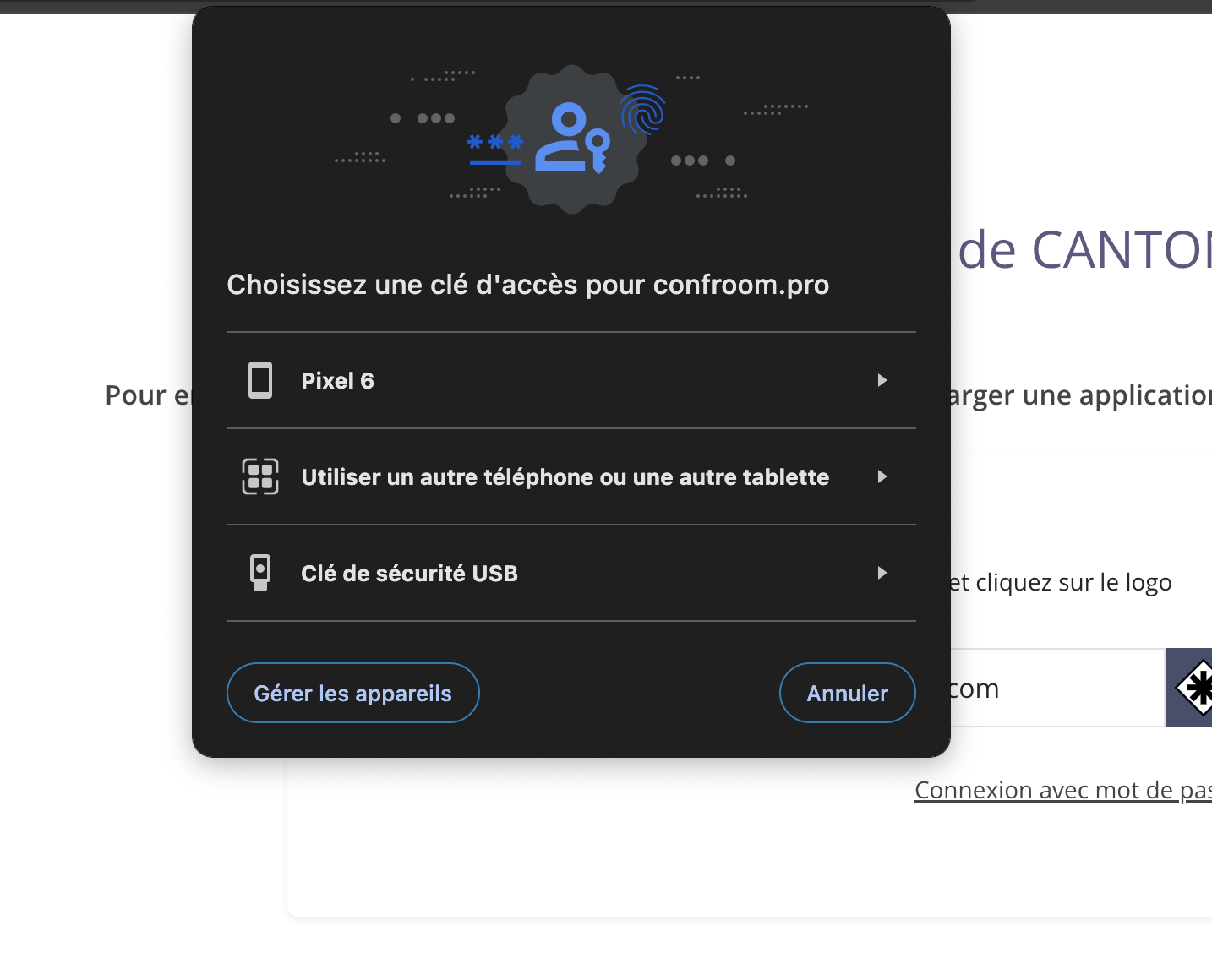
- At the time of login, if you have registered your mobile as an authenticator, a window will appear.
- You have the choice to use:
- Your registered mobile.
- A connection key.
- Another device.
Subtlety:
- If you try to log in by clicking on the registered mobile name, nothing will happen.
- You need to scan the QR code with the registered device to sync the public and private keys.
By clicking on “Use another phone or tablet”
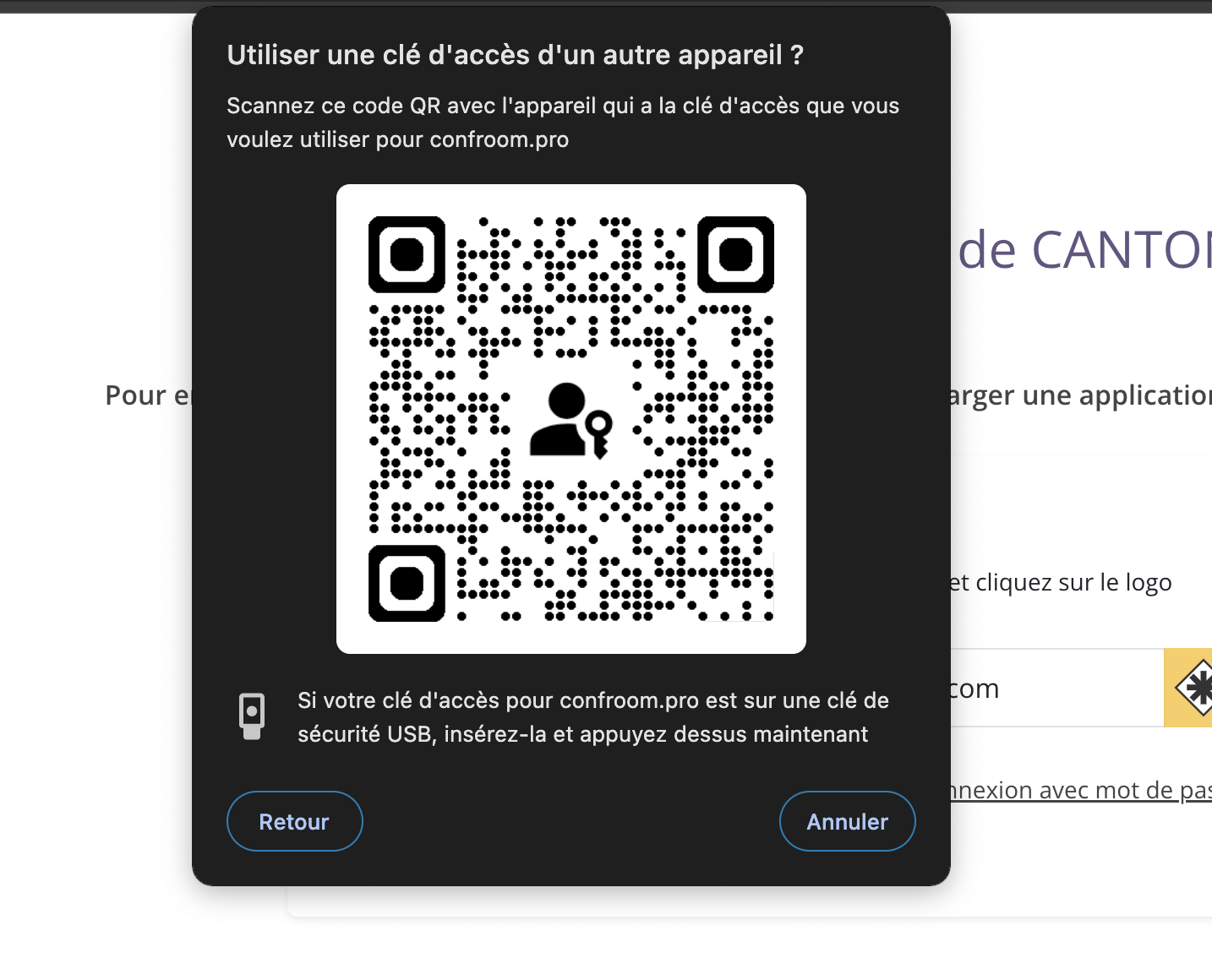 3. This will bring up the authentication window on the mobile.
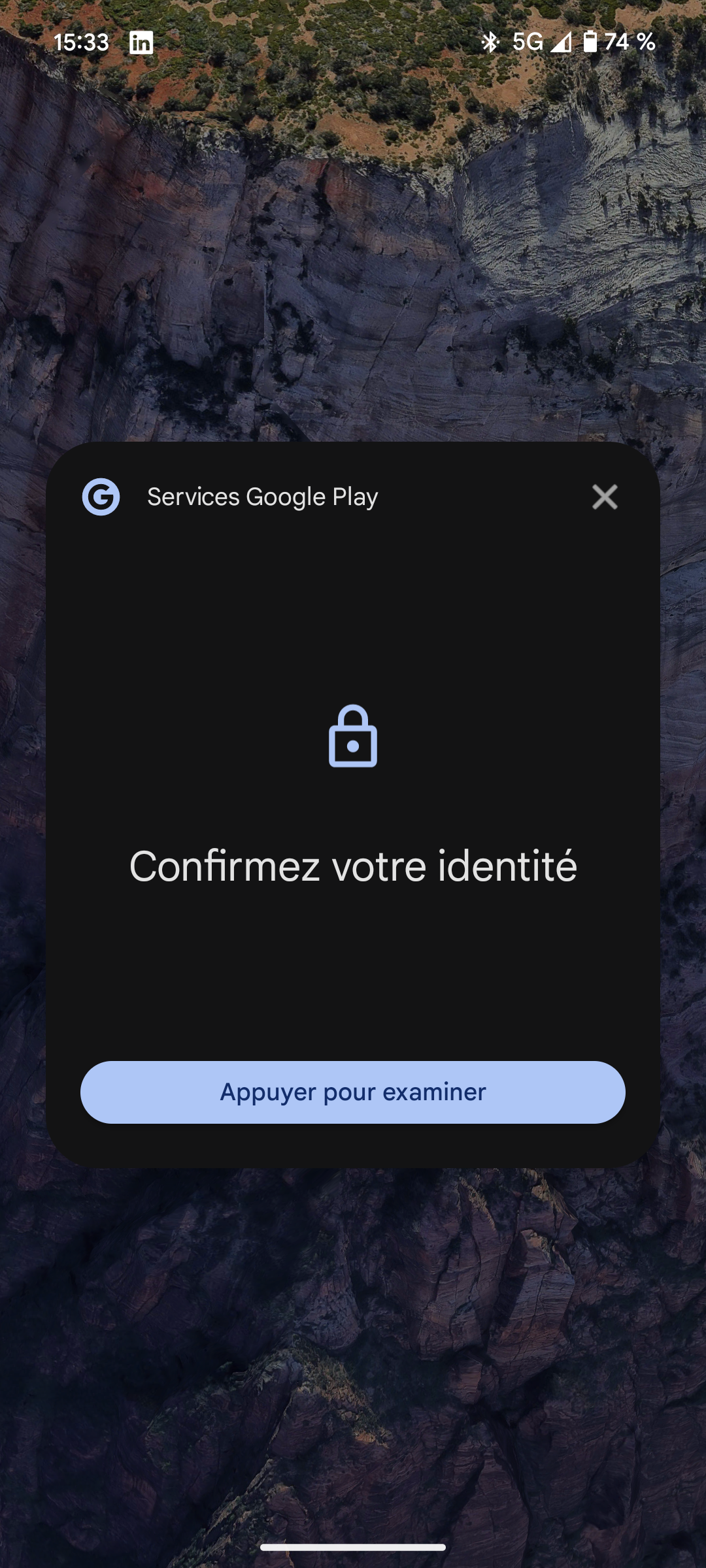
Future use:
- Once this synchronization step has been completed, you will no longer need to scan the QR code.
- You can directly choose the registered device from the list during subsequent connections.
Important note:
- For the key pass system to work, the Bluetooth of both devices must be activated.